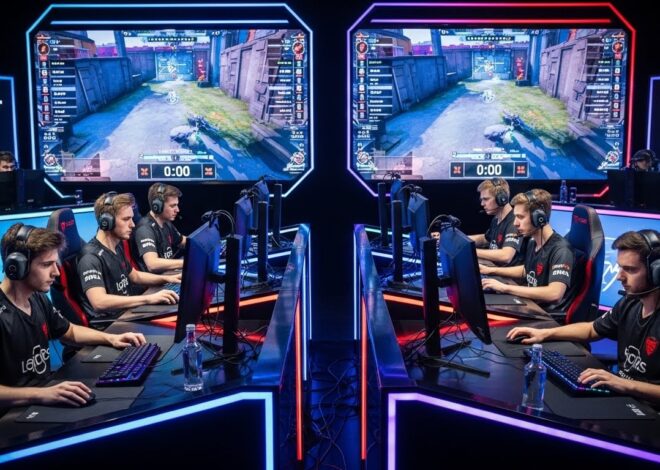
Best Gadgets for Competitive Streamers
Here are many of the best gadgets for competitive streamers — tools that help improve stream quality, performance, workflow, and viewer engagement. I’ll cover what to consider, categories, some examples & tips on choosing. If you want recommendations based on your budget or region I can give those too.
Why Streamer Gadgets Matter
Before the list, it’s useful to understand why investing in certain gadgets helps if you stream in a competitive/consistent way:
- First impression & professionalism: Good audio, video, and lighting immediately raise the production value. Viewers stay longer when things look and sound clean.
- Viewer interaction: Tools that let you switch scenes, trigger overlays, or control lights/audio live make your stream more engaging.
- Comfort & reliability: If your setup is ergonomic, stable, and reduces strain (on voice, neck, eyes, etc.), you can stream longer and with fewer issues.
- Differentiation: As streaming gets more crowded, polish and consistency help you stand out.
Categories of Gadgets Every Competitive Streamer Should Consider
I break them down by function:
| Function | Gadgets you need | What features matter |
| Audio capture & control | Microphones (USB / XLR), mixer or audio interface, noise suppression equipment | Clarity, low noise, ability to control gain, mute, headphone monitoring, multiple audio sources |
| Video / Camera / Visuals | Webcam or mirrorless/DSLR with clean HDMI, capture card (for consoles / external cameras), lighting (key lights, fill lights, backlighting), green screen or background control | Resolution (1080p / 4K), frame rate (60fps preferred for smoother video), autofocus/manual, color temperature, shadow reduction |
| Stream control & workflow | Stream decks / control pads, macro buttons, second monitor (for chat / monitoring), good PC performance / dual PC setups | Responsive buttons, custom macros, durable build, good software integration |
| Capture & encoding | Capture cards, graphics cards, fast SSDs (for recorded highlights), good CPU/GPU combo | Low latency, stable encoding, handling high bitrate, efficient hardware encoding options |
| Lighting and ambiance | LED light panels / ring lights, RGB accent lighting, ambient/back lights, lighting kits that adjust color temperature | Soft shadows, even light, minimal glare or flicker, ability to adjust mood and color to match brand style |
| Ergonomics & accessory tools | Mic boom arms, shock mounts, acoustic treatment, headsets, monitor arms | Stability, noise isolation, comfort for long periods, ease of adjustment |
Examples of Great Gadgets & What They Offer
Here are some widely recognized gadgets & product types used by competitive streamers. These are examples — standards many aim for, so you know what to look for.
- A high-quality microphone: Many streamers use dynamic or condenser mics that offer USB and XLR options. The ability to reduce background noise (like fan hum or ambient room noise) is especially valuable. Pick a mic with a good preamp and clear voice clarity under load.
- Webcam / Camera: A webcam with good low-light performance makes a big difference. If using a mirrorless camera with a clean HDMI output, pairing it with a capture card gives sharper visuals. Autofocus, manual white balance, and brightness controls are helpful.
- Capture Card: If you stream console games or want to use an external camera, a good capture card handles input without lag. It should support passthrough so you can play on your main screen while streaming via another.
- Lighting: A key light to illuminate your face, fill light to reduce shadows, and some backlight / accent lighting to separate you from the background. Adjustable color temperature (to match daylight or your room) and flicker-free LEDs are important.
- Stream Deck or Control Pad: Having programmable buttons for switching scenes, muting mic, triggering sound effects, controlling lighting etc., saves time and keeps the stream smooth (no awkward pauses or fumbling in software).
- Headphones / Monitor Speakers: To monitor your stream audio so you catch issues live (echo, imbalance, clipping). Over-ear headphones are common, but important they be comfortable for long hours.
- Ergonomics: Boom arms for the mic so you can position it ideally and move it out of view; shock mounts/pop filters to reduce unwanted noise; good chair / desk setup so you’re not straining during long streams; acoustic panels or foam to reduce echo / room noise.
Key Features to Choose When Buying
When evaluating specific gadgets, these are features to prioritize:
- Low latency — for video, audio, and capture. Delays reduce interactivity and can cause flubbed live timing.
- Consistency — stable frame rate & resolution, audio that doesn’t fluctuate, lighting that doesn’t flicker.
- Build quality / durability — gadgets that can handle being moved, used heavily, etc.
- Flexibility / modularity — being able to adjust/move your mic, camera, or lighting; expand later with accessories (e.g. adding more lights, using XLR instead of only USB).
- Software support — drivers, firmware, control panels, integration with streaming software like OBS or Streamlabs, ability to customize profiles.
- Budget vs payoff — sometimes a more expensive piece (e.g. good mic) makes more difference than many smaller cheap accessories.
Gadgets That are Common “Must-Haves” for Competitive Streamers
Putting it all together, here’s a summary checklist of gadgets many competitive streamers aim to have — not all at once, but growing toward this level:
- Studio-quality microphone (dynamic or condenser, possibly with both USB & XLR)
- Microphone boom arm + shock mount + pop filter
- Webcam with good low-light performance (or mirrorless/DSLR via capture card)
- Capture card (if using consoles or external video sources)
- Key lighting / LED panels / ring light with adjustable color temperature
- Stream deck or macro controller
- Headphones or monitor setup for real-time monitoring of audio
- Acoustic treatment (panels, sound dampeners) and/or noise suppression tools
- Dual monitor setup (one for game + stream control overlay, one for chat/software/etc.)
- Ambience / RGB lighting to improve background / visual brand